| sample-config | ||
| .gitignore | ||
| README.md | ||

zabbix
Setting Up Monitoring for a Postfix Service
On the Mail Server
-
Edit the Zabbix agent configuration file:
vim /etc/zabbix/zabbix_agent2.d/postfix.conf -
Add the following line:
UserParameter=postfix.running,script /tmp/postfix-script-zabbix.log -qc 'sudo postfix status' | grep -c 'PID' -
Ensure your Zabbix agent is configured for active checks by checking these parameters in your
/etc/zabbix/zabbix_agent2.conf:
ServerActive=your_zabbix_server_ip
HostnameItem=system.hostname
-
Restart the Zabbix agent:
systemctl restart zabbix-agent2 -
Check the status of the Zabbix agent:
systemctl status zabbix-agent2
The mail server's Zabbix agent will now collect the Postfix status using a script command and report that data back to the Zabbix server. The Zabbix server must then be configured to processes this information and handle alerting.
In the Zabbix web interface:
-
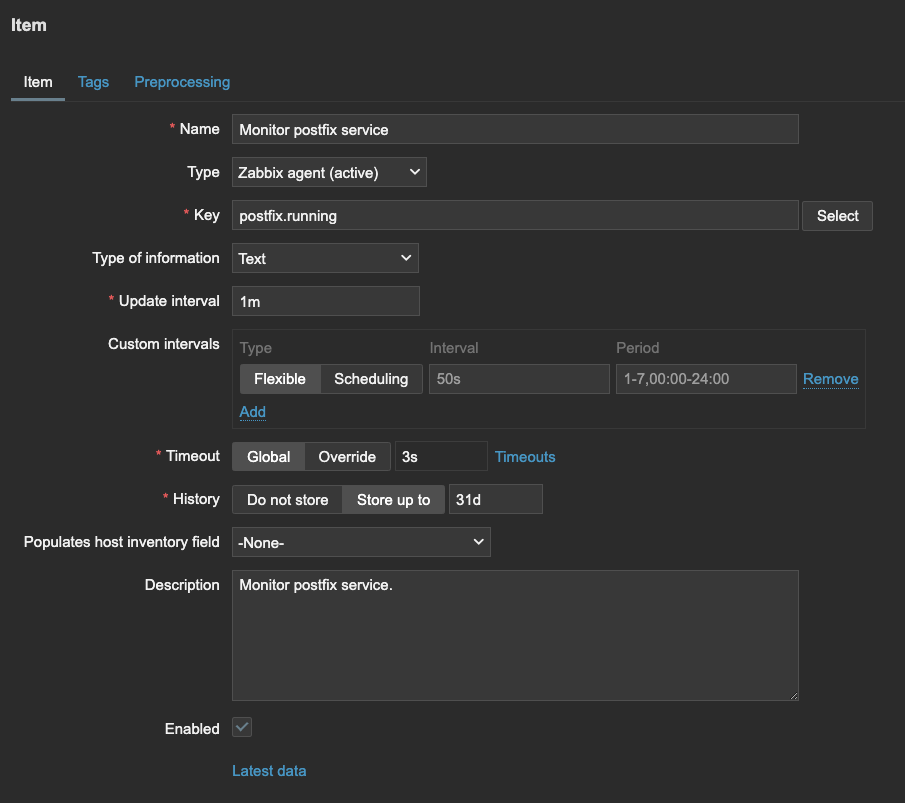
Create a new item for your host
Data collection -> Hosts -> Items (column next to the desired host) -> Create item (at top right) -
Set the following parameters:
- Name:
Monitor postfix service - Type:
Zabbix agent (active) - Key:
postfix.running - Type of information:
Text - Description (optional):
Monitor postfix service.
-
Click "Add" to save the item
-
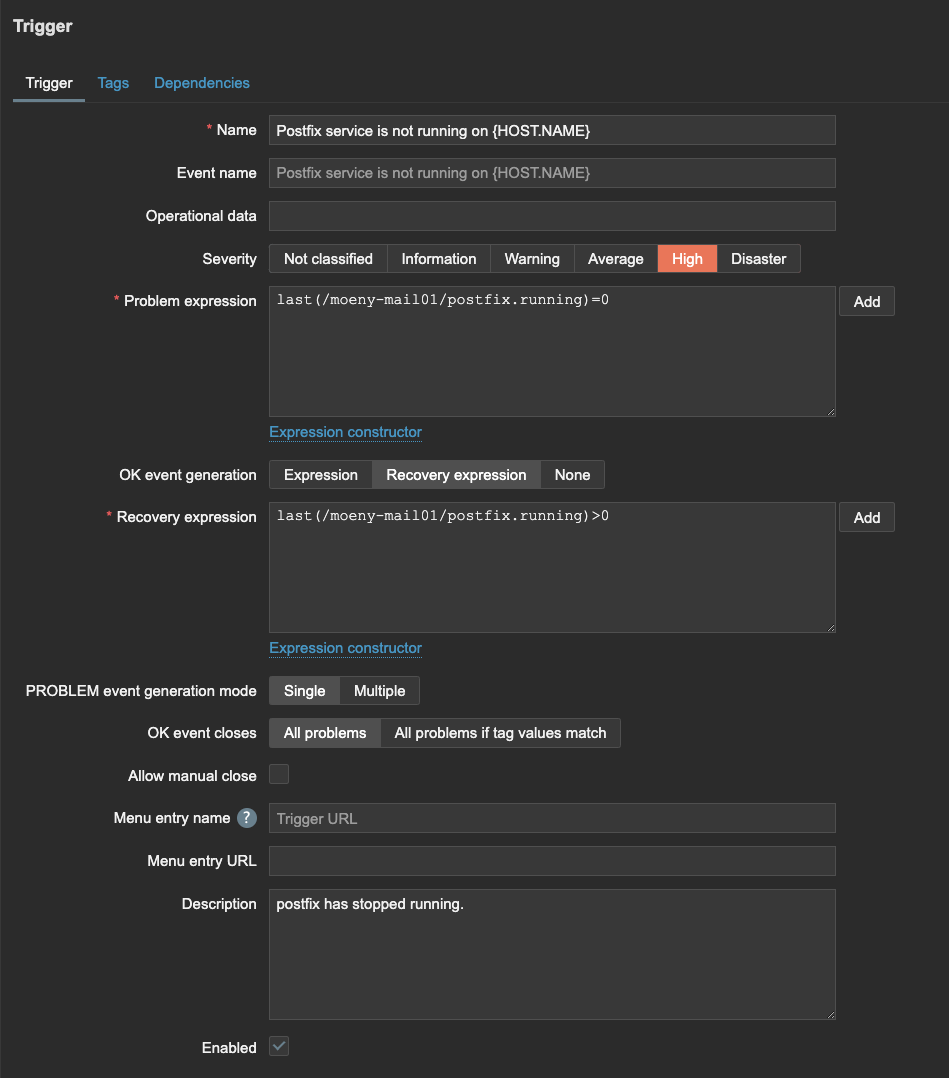
Create a trigger based on the return value
Data collection -> Hosts -> Triggers (column next to the desired host) -> Create trigger (at top right) -
Set the following parameters (Replace instances of
mail_server_hostnamewith your actual host name in Zabbix):
- Name:
Postfix service is not running on {HOST.NAME} - Severity:
High - Problem expression:
last(/mail_server_hostname/postfix.running)=0 - OK event generation:
Recovery expression - Recovery expression:
last(/mail_server_hostname/postfix.running)>0 - PROBLEM event generation mode:
Single - OK event closes:
All problems - Description (optional):
Postfix has stopped running.
- Click "Add" to save the trigger
This trigger will fire when the Postfix check returns 0 (not running) and will automatically resolve when the check returns a value greater than 0 (running).